Choosing the right tool means being honest about what your project actually is — not what it could theoretically become.
My initial assumption was React. Not because I thought about it — because I didn’t. React is where experienced engineers default when they want to build something that reflects technical credibility. The ecosystem is mature, the component model is familiar, and if you’re job-hunting, React is still the clearest signal. That instinct runs deep enough that questioning it feels almost contrarian.
Then I actually thought about what the site needed to do.
The React decision — and why it didn’t win
React’s value proposition is coherent. Complex state, rich interactivity, SPA navigation, component composition across a large UI surface — React handles all of this well, and its hiring-market ubiquity means most teams can maintain what you build. Those are real strengths.
They’re just not the strengths my portfolio needed.
The site’s actual job: present static pages, render Markdown articles, display work case studies, and handle a contact form. There’s no dashboard. No real-time data. No complex client state. The most interactive thing on the entire site is a theme toggle and a form with a bot-protection widget.
When I listed what the site was actually doing, the React argument collapsed. I wasn’t building an application. I was building a content site that happened to have one interactive page. Using React here would mean importing a full SPA runtime, managing hydration, maintaining discipline around bundle size, and fighting the framework’s default assumptions just to get content-first performance. That’s not a technical challenge worth solving — it’s friction I would be generating for myself.
I decided to explore various tools and frameworks and Astro caught my attention not only because it’s lightweight which contributes to its strong performance but I loved the fact that I could manage my site content with simple markdown.
That reframing — what is this site actually doing? — is what opened the door to Astro. Not because Astro is new, but because it was the right tool for the constraint.
Why Astro won the argument
Astro is a web framework built for content-driven sites. Its server-first rendering model ships zero JavaScript to the browser by default. That inversion matters.
On a React SPA, keeping bundle size low is a discipline problem. You have to actively opt out of JavaScript: vigilant tree-shaking, code-splitting, lazy loading, careful attention to what every dependency pulls in. It requires ongoing maintenance. With Astro, the default is already correct for content pages. You opt in to JavaScript exactly where you need it, and nowhere else.
The performance data from astro.build reflects this. Based on HTTP Archive and Chrome UX Report data: 66% of Astro sites pass Core Web Vitals, compared to 48% for WordPress, 47% for Gatsby, 30% for Next.js, and 28% for Nuxt. For a portfolio site — one that exists partly to demonstrate engineering taste — shipping something that underperforms on the fundamentals would be self-defeating. The data removes the need for adjectives.
Islands architecture is the mechanism behind that number. Astro renders pages as static HTML by default. Where a component needs interactivity, it hydrates independently as an “island” — without loading a full SPA runtime for the surrounding page. My portfolio has exactly one genuinely interactive page (the contact form) and a theme toggle that lives in the header. Islands meant I could add client-side behaviour precisely where needed without paying a JavaScript cost across the rest of the site.
Content Collections gave Markdown a build-time contract. Articles in src/content/articles/ have frontmatter validated against a Zod schema — title, description, pubDate, heroImage — meaning a malformed file fails the build loudly rather than silently producing a broken page at runtime. That’s a meaningful difference when the content layer is where things typically go wrong quietly.
Hybrid rendering without friction was the other deciding factor. The /api/contact endpoint runs as a Netlify serverless Function. Every other route is prerendered static HTML, served from Netlify’s CDN. In Next.js or Remix, this split still requires deliberate configuration. With @astrojs/netlify, a single adapter handles it. The rest of the route tree stays genuinely static — no edge runtime, no cold starts, no hydration overhead on pages that don’t need any of it.
The View Transitions API came at no additional cost. Astro ships built-in support for browser-native view transitions, giving page-to-page crossfades with prefers-reduced-motion respect built in. No animation library. No client-side routing shim. Just the platform.
What’s actually built on top
The site has six primary routes: home (/), work index (/work), individual case study pages (/work/[slug]), articles (/articles), about (/about), and the contact form (/contact). All prerendered except /api/contact.
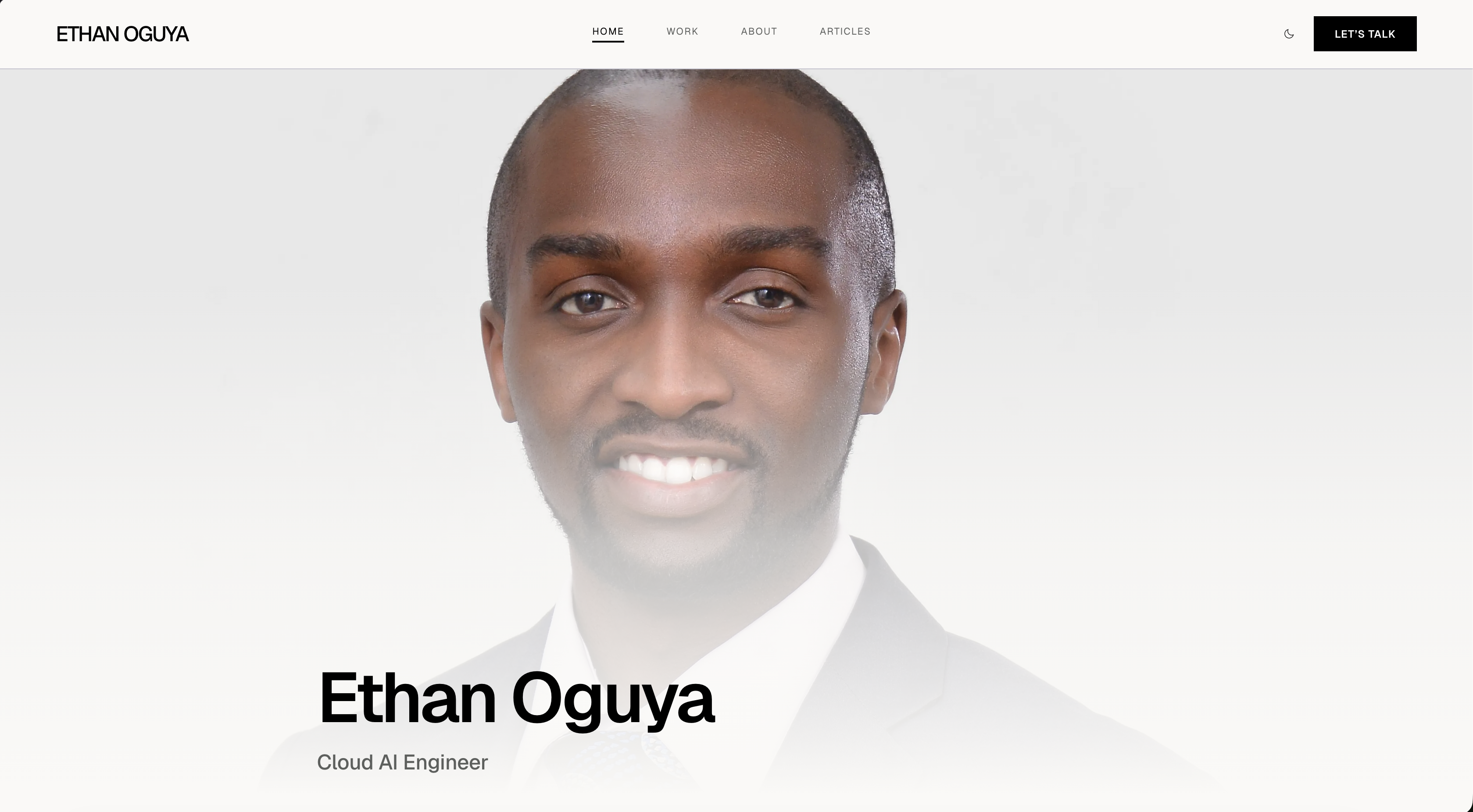
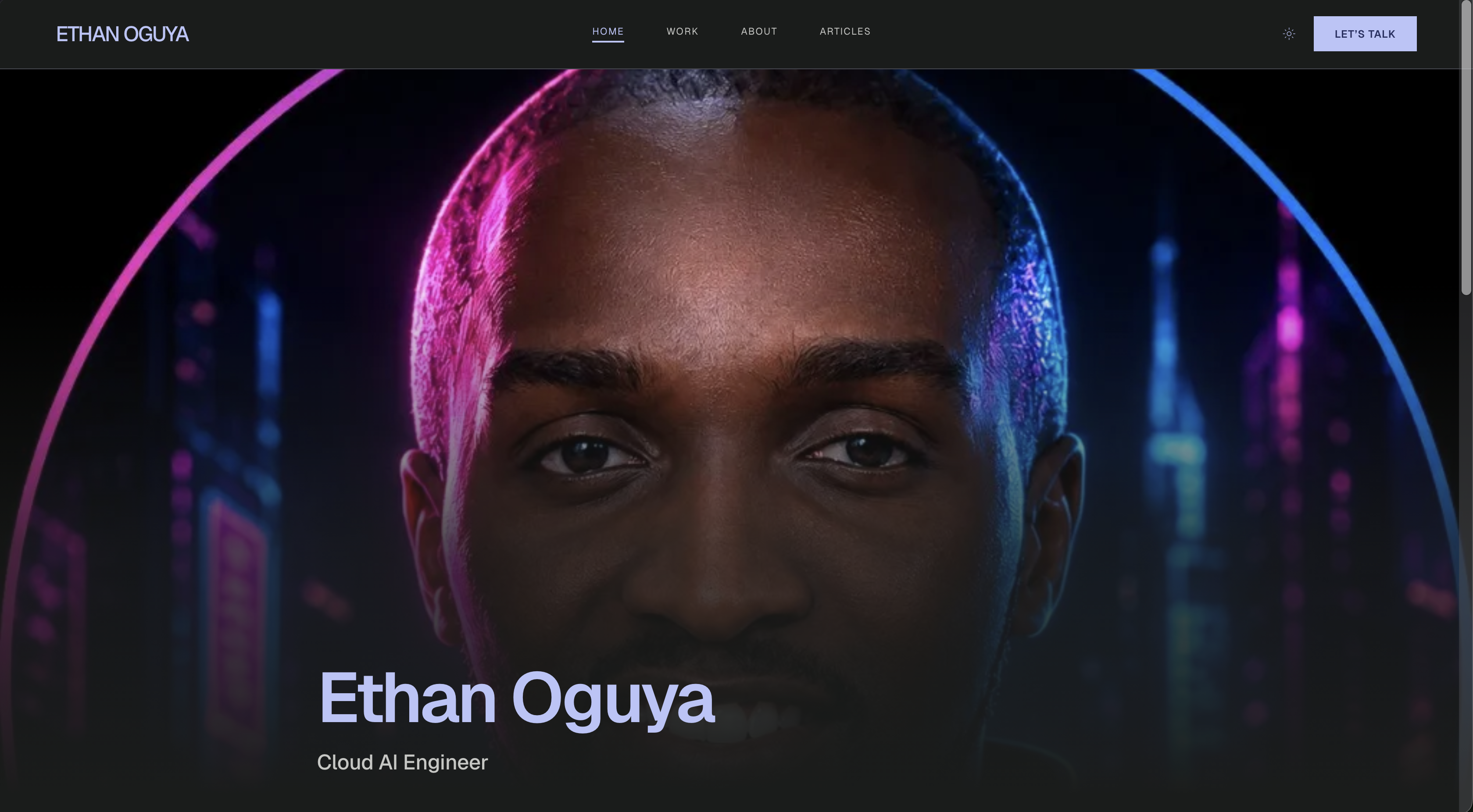
Dark and light theme uses a persistent localStorage value falling back to prefers-color-scheme. An inline script in the base layout sets the html.dark class, the correct favicon, and the hero portrait before the first paint — no flash on load or on page navigation. Theme switches use the View Transitions API where supported. There are two distinct portraits: a professional headshot for light mode, an AI-generated cyberpunk version for dark. It’s a small detail, but it reflects the personality of the site rather than just toggling a colour scheme.
The PWA layer uses @vite-pwa/astro (Workbox). Prerendered HTML and hashed static assets are precached. Navigation uses a NetworkFirst strategy. navigateFallback is explicitly null — this is an MPA, not an SPA, and that distinction affects how the service worker should behave. An IndexedDB store tracks a buildId from /site-build.json; when a new deploy is detected on a qualifying navigation, the cache is invalidated and the user gets the new version without a stale experience. The /api/* route, Cloudflare Turnstile, and analytics scripts are always NetworkOnly.
The contact form runs server-side via src/pages/api/contact.ts. Resend handles transactional email; Cloudflare Turnstile handles bot protection. All environment variables are typed through Astro’s env schema so the build fails clearly if something is missing rather than throwing at runtime during a real submission.
Fonts and icons are self-hosted. Geist at 400, 500, and 600 weights, plus Material Symbols Outlined, served from public/fonts/. No Google Fonts CDN call on load. One fewer external dependency, one fewer point of failure, no privacy considerations around third-party font requests.
The testing pipeline uses Vitest for unit and integration tests — DOM contract assertions with @testing-library/dom and happy-dom — and Playwright for E2E, including axe accessibility scans. A test:gate command chains typecheck → test:unit → build → test:e2e → test:e2e:contact as the full local contract before any deployment. If the gate is red, nothing ships.
The design system as a first-class artefact
The canonical design specification lives in DESIGN.md — a Markdown file in version control, not a Figma link. It defines a system called “Technical Precision”: an off-white and deep ink palette (warm paper-like background #faf9f7, near-black primary text, neutral grey secondary), Geist exclusively at three weights, a 12-column grid with intentional asymmetric column offsets, 96px vertical section rhythm, and a strict 0px corner radius language across the entire UI.
That last constraint is load-bearing. Every component respects it. The sharp-corner system is implemented globally by overriding all Tailwind radius tokens to 0 in the @theme block — you cannot accidentally round a corner. It forces visual consistency without relying on individual component discipline.
Layout scaffolding came from Stitch exports — HTML reference files generated by an AI design tool, covering home, about, work, and articles views in mobile and desktop variants. They were layout and copy references only. Their CDN Tailwind scripts and dark-mode utility patterns were replaced entirely with the in-repo Tailwind v4 setup. The authority hierarchy was explicit: DESIGN.md over Stitch exports over any individual judgment call.
The token flow: tokens.css → global.css @theme → Tailwind utilities. Dark tokens live exclusively in tokens.css under .dark. The design file living in git alongside the code means design drift shows up in git diff. That’s a different discipline than maintaining a Figma file in parallel with the codebase and hoping they stay in sync.
Cursor as an iteration layer
I used Cursor throughout the build — not as a code completion tool, but as a design fidelity and contract enforcement layer.
The top-level AGENTS.md file acts as a shared project brief for both humans and AI agents. It documents the stack, routes, environment variables, cross-page contracts (all “Let’s Talk” CTAs route to /contact), and commands. When an agent picks up a task, it has the same context a new engineer would need on day one.
.cursor/rules/ holds two always-applied rule files. One defines orchestration: when to delegate to subagents, a 90% context budget heuristic to avoid context overflow, and a brief template for every delegation. The other defines the testing pyramid: Vitest versus Playwright responsibilities, the constraint that *.test.ts files cannot live under src/pages/ (Astro treats those as routes and will try to prerender them).
For large implementation chunks, the parent agent delegates to purpose-specific subagents: shell subagents for CLI tasks, explore subagents for read-only codebase discovery, and generalPurpose subagents for bounded implementation work against a defined file allowlist. This structure kept individual agents from accumulating too much context and drifting — a real problem on longer sessions.
The critical constraint: Cursor agents were instructed to treat DESIGN.md as authoritative over Stitch exports and over their own aesthetic judgment. AGENTS.md and DESIGN.md together formed a constraint layer that prevented successive AI iterations from silently eroding the design system.
After each substantive change, npm run build and npm run test:e2e had to stay green. AI-assisted iteration, not AI-generated code. The engineer remains the decision-maker; Cursor compressed the feedback loop and caught regressions that would otherwise surface only at the end of a session.
What the constraint taught me
The framework choice on a personal project is not just an aesthetic preference. It’s a signal about how you reason about systems.
Defaulting to React for a content site is the same failure mode as defaulting to microservices for a two-person startup or Kubernetes for a static site. The tool is fine. The reasoning is the problem. Every production system I’ve worked on has had at least one component that was the right technology for a different problem — added early, justified by familiarity, maintained long after the justification expired.
The portfolio website is a small system. The habit of asking what is this application or system actually doing? before reaching for the default tool — that’s not small at all.
#Astro #WebDev #CursorAI #PortfolioSite #AIAssistedDevelopment #WebPerformance #JAMstack